
Everyone has felt it: the anxiety of returning to Slack after a meeting, unsure where to start. Which channels have updates that matter? Did someone mention you? Are there DMs waiting? For years, staying caught up in Slack has meant jumping between surfaces, trying to piece together what needs your attention.
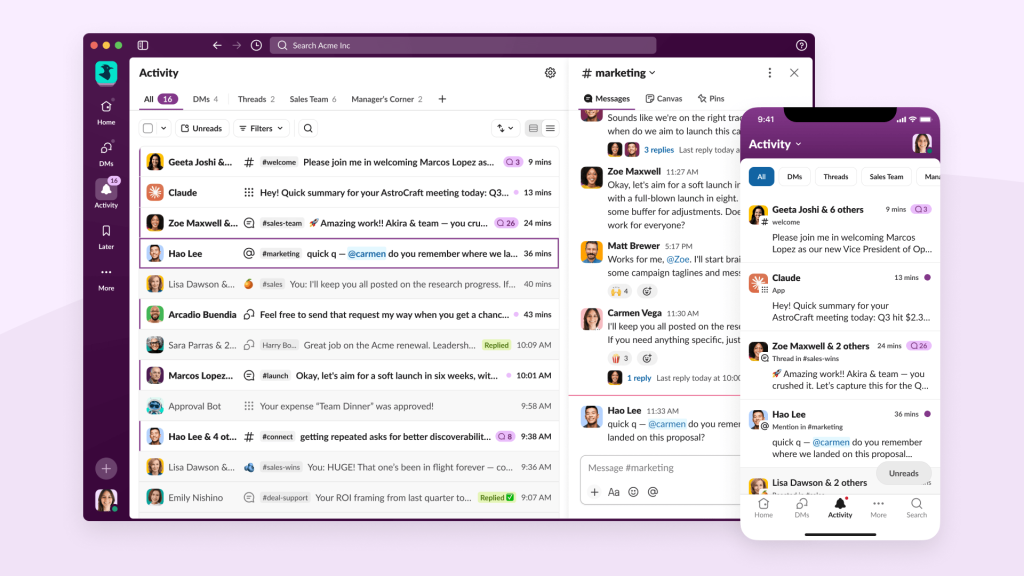
This universal feeling of digital overwhelm is exactly what led us to build the Activity tab in fall 2023 as part of Slack’s biggest redesign. Since then, Activity has become a critical part of how many use Slack; it’s the #2 most-used surface, with nearly 60% of Enterprise users relying on it to stay caught up. But here’s the thing about building something successful: it reveals new problems and opportunities you couldn’t see before.
This is the story of how Design and Product evolved Activity from a limited notification feed into Activity 2.0: your One Place to Catch Up in Slack. Sometimes as a designer, it’s not about starting from scratch or fixing something broken. It’s about taking something that’s already pretty successful and making it work even better for the many ways people actually get work done.
When Success Reveals New Problems
What we heard from users
While adoption of Activity signaled that it was clearly satisfying a need in Slack, the experience was limited. Activity 1.0 contained many of your notifications but not all, and it only let you mark these notifications as Read, not actually take action on them. We heard clear feedback that Slack was still too fragmented:
- “I can’t tell what’s urgent.”
- “I’m constantly jumping around.”
- “I feel overwhelmed.”
- “I want to get to inbox zero, but Activity doesn’t help me.”
The core insight: Activity 1.0 solved recall but not unified triage
Activity was a good start at aggregation, but it wasn’t yet a true catch-up and triage system. Recall and triage sound similar, but they’re not. Recall is finding that message you half-remembered — triage is efficiently processing everything that happened while you were gone and knowing what actually needs your attention. In a tool like Slack, where work moves fast and conversations pile up across dozens of channels and threads, triage is the difference between feeling in control and feeling buried. Activity 1.0 got people closer to their notifications; Activity 2.0 is built to help them actually get through them.
Our Approach: Research-Driven Iteration on a Live Surface
We rooted this iterative process in deep collaboration between, yes, design, engineering and product but also with research and data, and in the Slack belief of prototyping the path: building rough, functional versions of ideas to learn what works before we commit to building at scale. We created a tight feedback loop with internal testers who helped us evaluate and commit or pivot quickly.
Understanding How People Actually Work
Before diving into solutions, we stepped back to understand the diverse ways people triage or manage their work. We discovered that notification management isn’t one-size-fits-all. Personal preferences, notification volume, and context all inform how people triage and we found that most move fluidly between four behaviors:
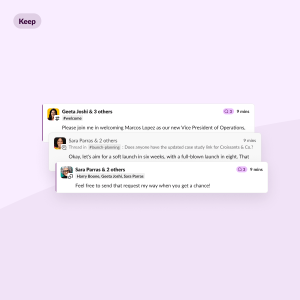
- Keep: Some maintain a curated inbox, keeping items visible until they’re truly done and then clearing them away
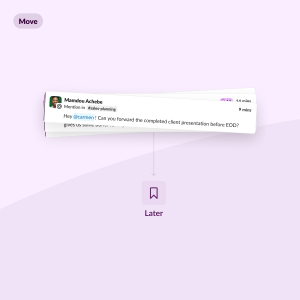
- Move: Others file notifications away to task-management systems, clearing their inbox even when work remains
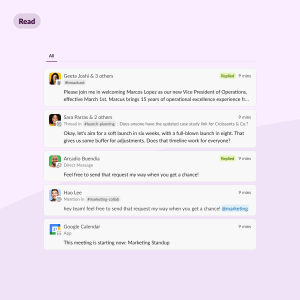
- Read: Many orient around the unread state, treating “inbox zero” as “zero unreads”
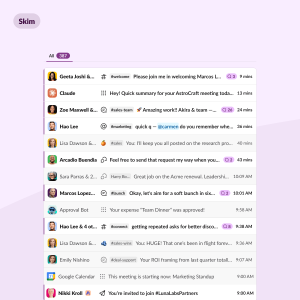
- Skim: And some scan for what matters, comfortable ignoring the rest
These behaviors aren’t fixed personas—the same person might skim when rushing between meetings but keep and carefully process during dedicated focus time. We also discovered that notification volume matters: high-volume users on large teams need different tools than small team users receiving just a handful of updates daily.
This insight became foundational: Activity 2.0 needed to support all of these behaviors gracefully, not force everyone into a single workflow.
Building on top of an established, heavily-used surface
When you’re iterating on something that millions of people use daily, change is inherently challenging. Users have developed muscle memory, established workflows, and strong opinions about how things should work, often building imperfect but functional systems around the existing interface. This reality shaped every decision we made with Activity 2.0: rather than redesigning from scratch, we had to evolve thoughtfully. Every change required building tight feedback loops with our users, testing extensively, and being willing to adjust course when something wasn’t working.
The challenge was less technical than it was human. People trusted us with their daily workflows while we improved the foundation beneath their feet, and that trust had to be earned through careful iteration and genuine responsiveness to feedback.

Balancing act: Maintaining simplicity while adding power for different user types
At Slack, we like to remind ourselves that “we are not our users.” We couldn’t build for one audience only, so we used data, user research, and pilots with a variety of company types to ensure our end product could work for anyone.
Most people just need a simple, reliable feed to stay caught up—something straightforward that shows what’s new without overwhelming them. But others have complex workflows with hundreds of notifications daily, requiring powerful filtering, custom views, and advanced triage tools. The challenge was designing an experience that feels effortless for casual users while being robust enough for power users who live in Slack all day. We needed to ensure Activity 2.0 was approachable enough that anyone could jump in and immediately understand how to catch up, while being sophisticated enough to handle the most demanding notification management needs.
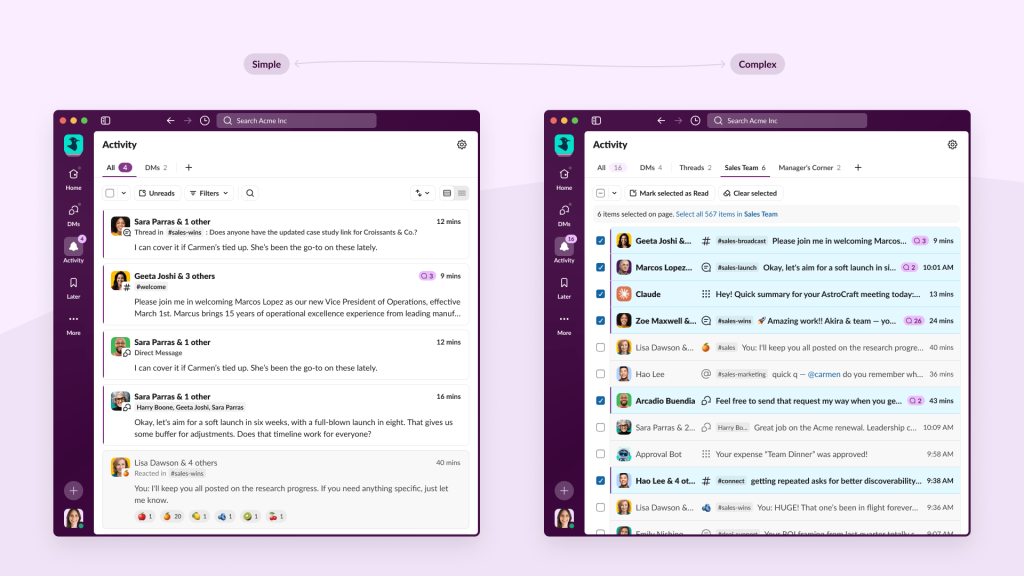
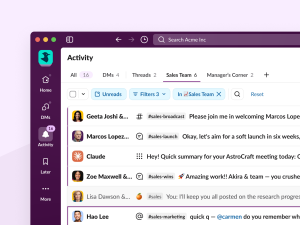
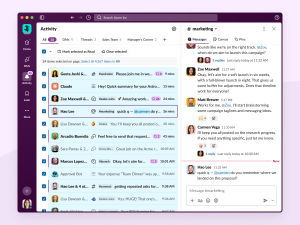
⬆️ Activity 2.0 is simple out of the box but can be used for more complex needs and workflows
Our Strategic Approach: Three Pillars for Evolution
The challenge was clear: how do we make Activity powerful enough for power users while keeping it simple and approachable for everyone?
One Place to Catch Up
A single, comprehensive destination for all your Slack updates.
Reduce pogo-sticking by bringing together all notifications into one feed. Users just need to check one place to catch up: Activity.
Intuitive, Powerful Triage
Tools that make staying caught up effortless, not exhausting.
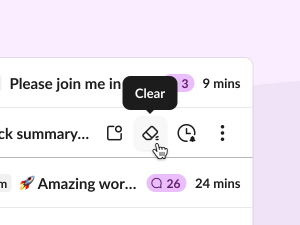
From simple mark-as-read to advanced filtering, custom Saved Views, keyboard navigation, and bulk actions, Activity scales with your workflow needs.
Tailored to You
Activity adapts to your work style and priorities.
We designed for the full spectrum of users from executives who need to cut through noise, to power users who want inbox zero, to small team members who just need a reliable catch-up space.
Results and Learnings
What we achieved
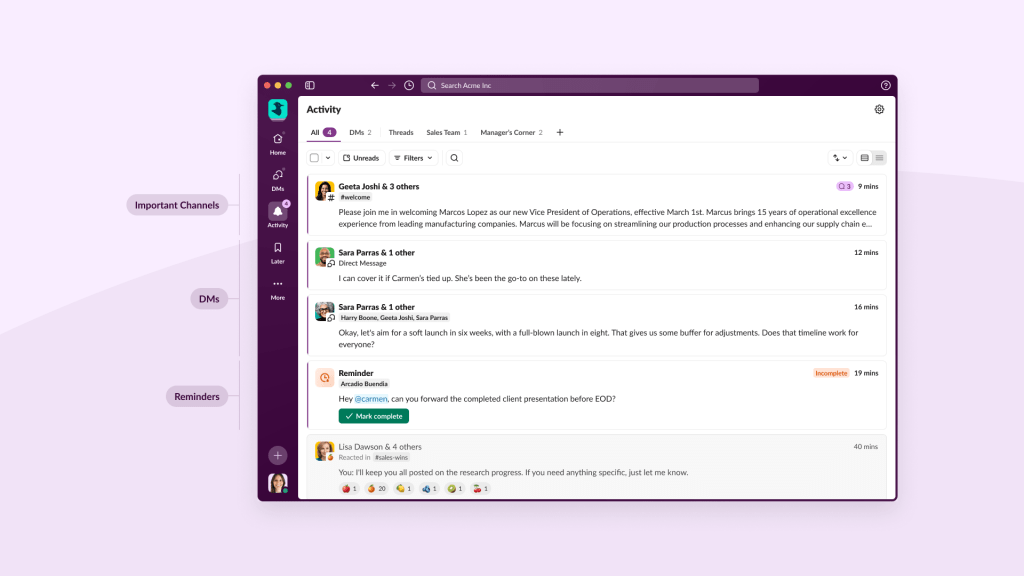
Activity 2.0 brought DMs, mentions, threads, reminders, reactions, and important channel notifications into a single feed and users noticed. The new experience has an 80% engagement rate, and 60% of engaged Activity users are starting to triage and recall DMs from within Activity too. That said, the transition wasn’t frictionless for everyone; some users initially struggled to shift away from familiar fragmented workflows, which reinforced that thoughtful onboarding isn’t optional when you’re changing something people depend on daily.
What we learned
- When a surface becomes heavily adopted, any changes must respect existing workflows while solving newly visible problems.
- Our “prototyping the path” approach proved essential for iterating on a live surface with millions of users.
- The most successful mature product evolution happens when teams maintain close relationships with their user base throughout the process.
Looking Forward: Continuous Evolution
We’re taking this approach into the future, building on our strong foundation with two main focuses:
Consolidation
Our next phase will simplify Slack’s mental model by consolidating overlapping, scattered surfaces—like the standalone DMs tab, Threads view, Recap—into Activity as the unified hub. This eliminates the mental gymnastics users currently face when deciding where to check for different types of updates, creating a cleaner, more predictable experience.
Prioritization
The real magic happens when we layer intelligent prioritization on top of this unified foundation. As more is centralized into Activity, we need to ensure users can cut through the noise. We’re developing AI-powered systems that learn what matters most to you, automatically surfacing the notifications that need your attention while reducing noise from less critical updates.
We’ll continue to transform Activity into an intelligent triage system that helps you work smarter, not harder.
Co-authored by Eileen Murphy Bernard and Brad Monroe
Eileen Murphy Bernard is a Principal Product Designer at Slack continuing to focus on the future of Activity and messaging experiences.
Brad Monroe is a Product Management Director at Slack focused on all aspects of the core messaging experience.